

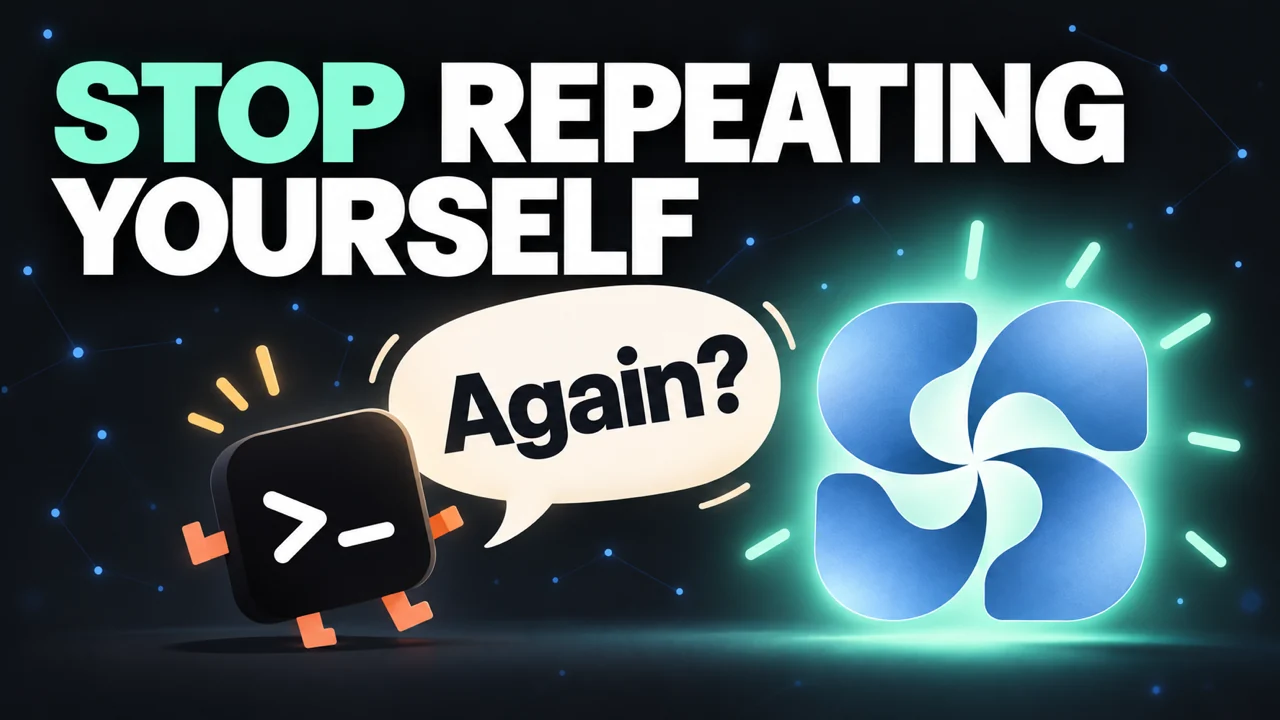
It's late. You spent the whole evening planning a release with Claude Code: you weighed three options, picked one, and every detail finally clicked. The next morning you open Codex, and its first question is: “So, what are we building?”
AI agents are brilliant. They write code, they reason, they ship. But every new session starts from zero. S3 Brain closes that gap: one shared, persistent memory for Claude Code and Codex. We published the launch film yesterday. Watch it first, then let's go through the details.
Two agents, one memory
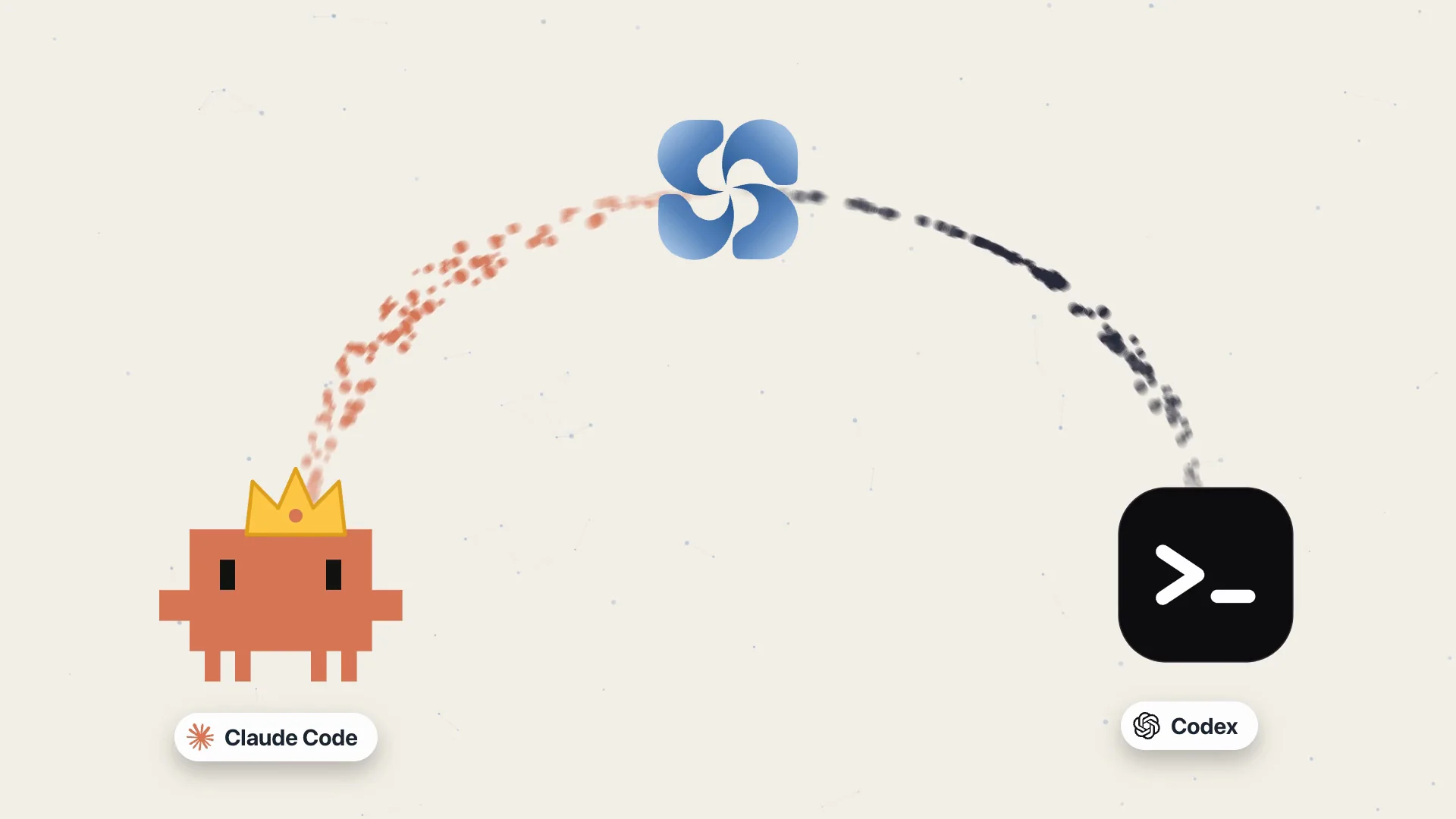
The decision Claude Code made in the evening becomes the context Codex reads in the morning. You decide which agent leads each task; the memory is the same for both.
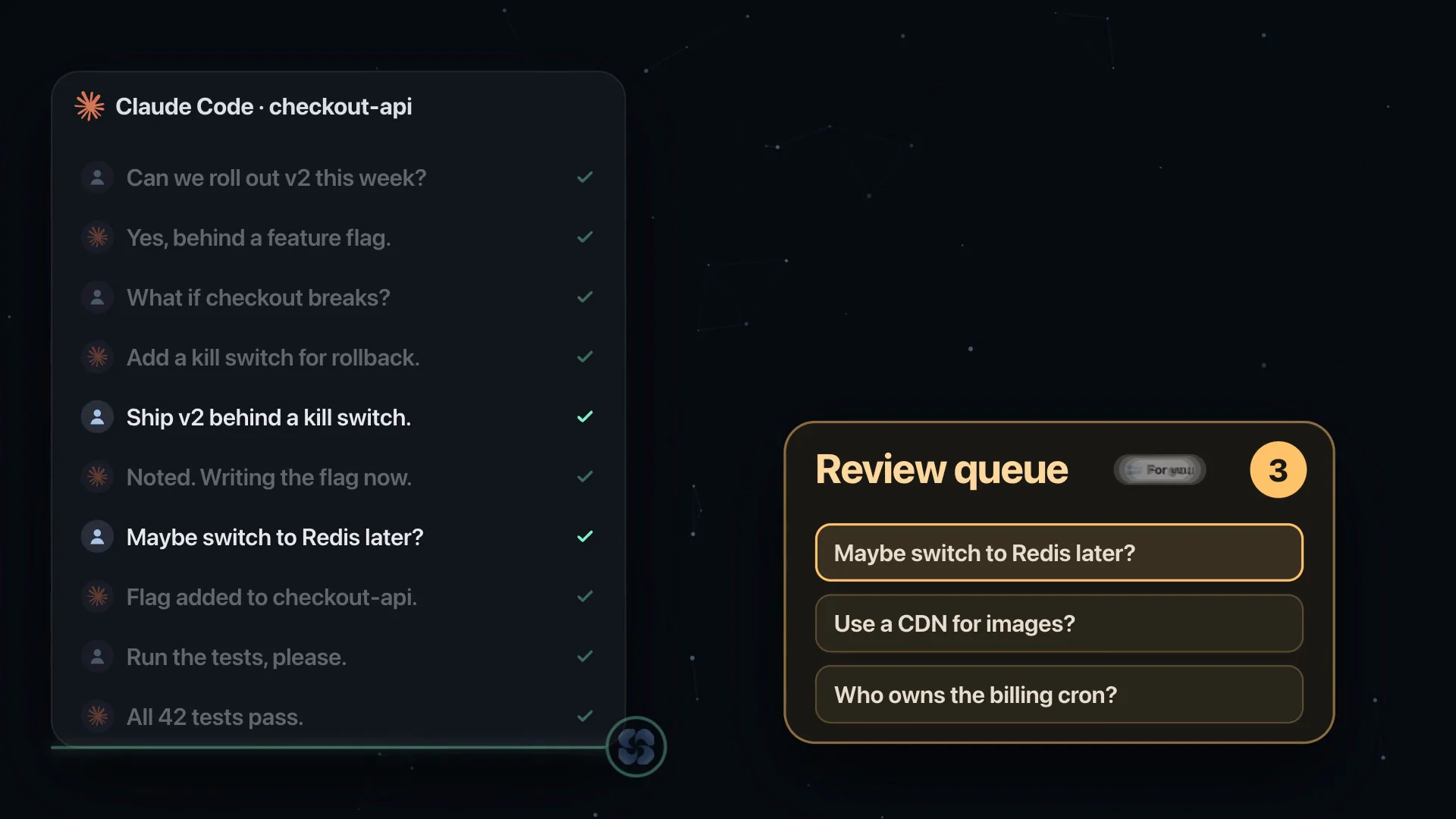
It saves while you work
You don't change how you work. While you work, your AI saves what matters straight into S3 Brain: the decisions you made, the results you saw and the tasks still waiting. This path is free and needs no extra account.
Want it fully automatic? Turn on background summaries with your own API key or a local model running on your Mac (Ollama, LM Studio). S3 Brain follows your conversations and reads only what is new; it never reads the same thing twice.
Memory checked against its source
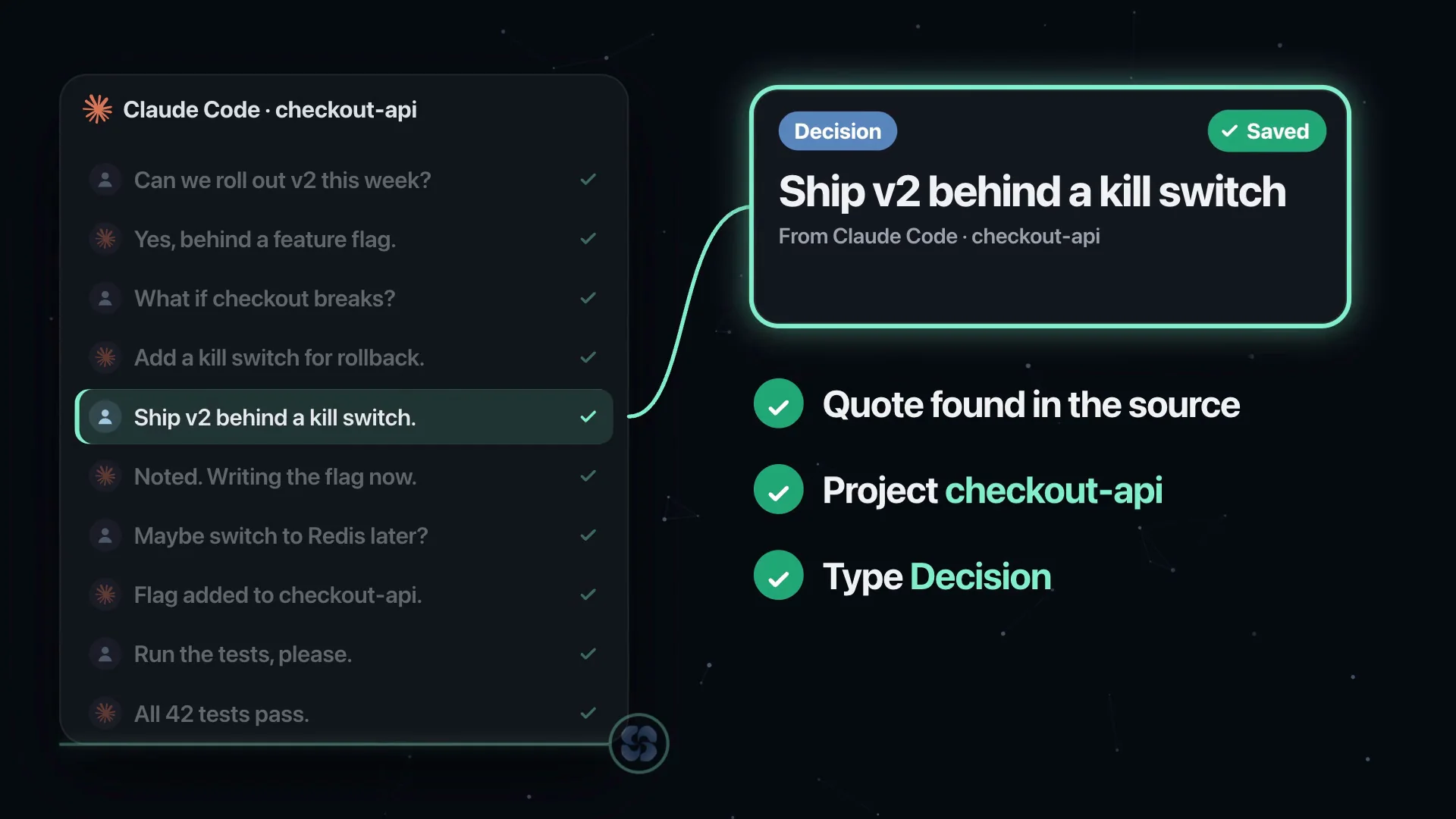
Every summary is checked against its source before it is saved: is the quote really in the conversation, does it belong to the right project, is the type right? Anything uncertain is not guessed; it waits for you in the review queue.
Proposal, decision, outcome
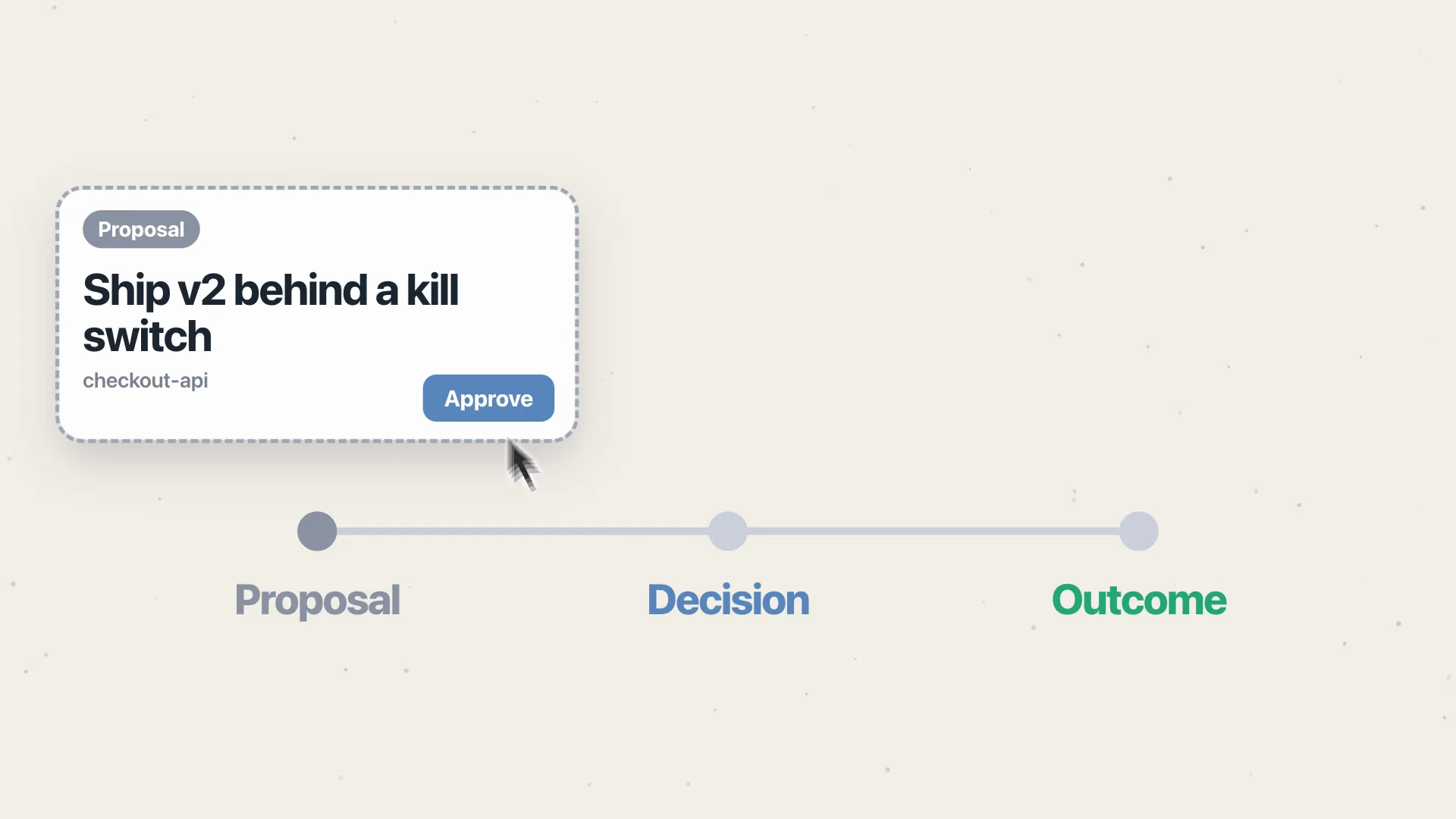
In a real project, not every sentence is a decision. In S3 Brain a proposal stays a proposal until you approve it; then it becomes a decision, and once the work is verified, an outcome. When you change your mind, the old choice moves into history: remembered, but never mistaken for the plan again.
Every memory is linked to where it came from, so you can always ask: who said this, when, and why?
Not your whole history, just the pieces that matter
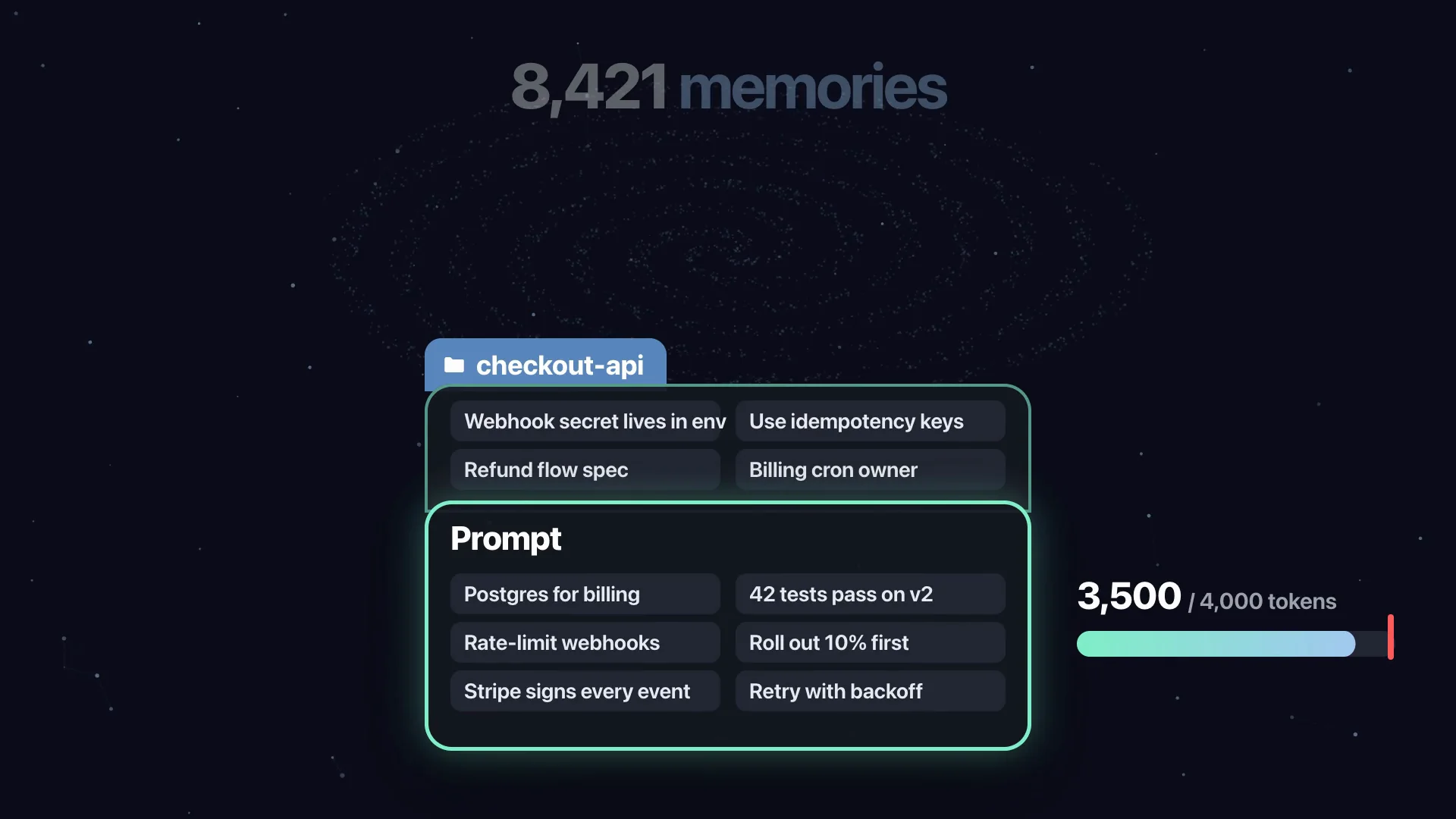
When the next task starts, the context is already there, but not your entire history dumped into the prompt. S3 Brain brings only the few pieces that matter for the current project, inside a strict token budget: up to 6 items and 1,800 tokens for a normal search, up to 10 items and 3,500 tokens when you go deep.
Full-text and multilingual semantic search run right on your Mac.
Claude, Codex and 16 MCP tools
Claude remembers what Codex did. Codex knows what Claude decided. With 16 MCP tools, the same memory also reaches Claude Desktop, Cursor, VS Code, Windsurf, Gemini CLI, Zed, Cline and more.
The new Memory Workspace
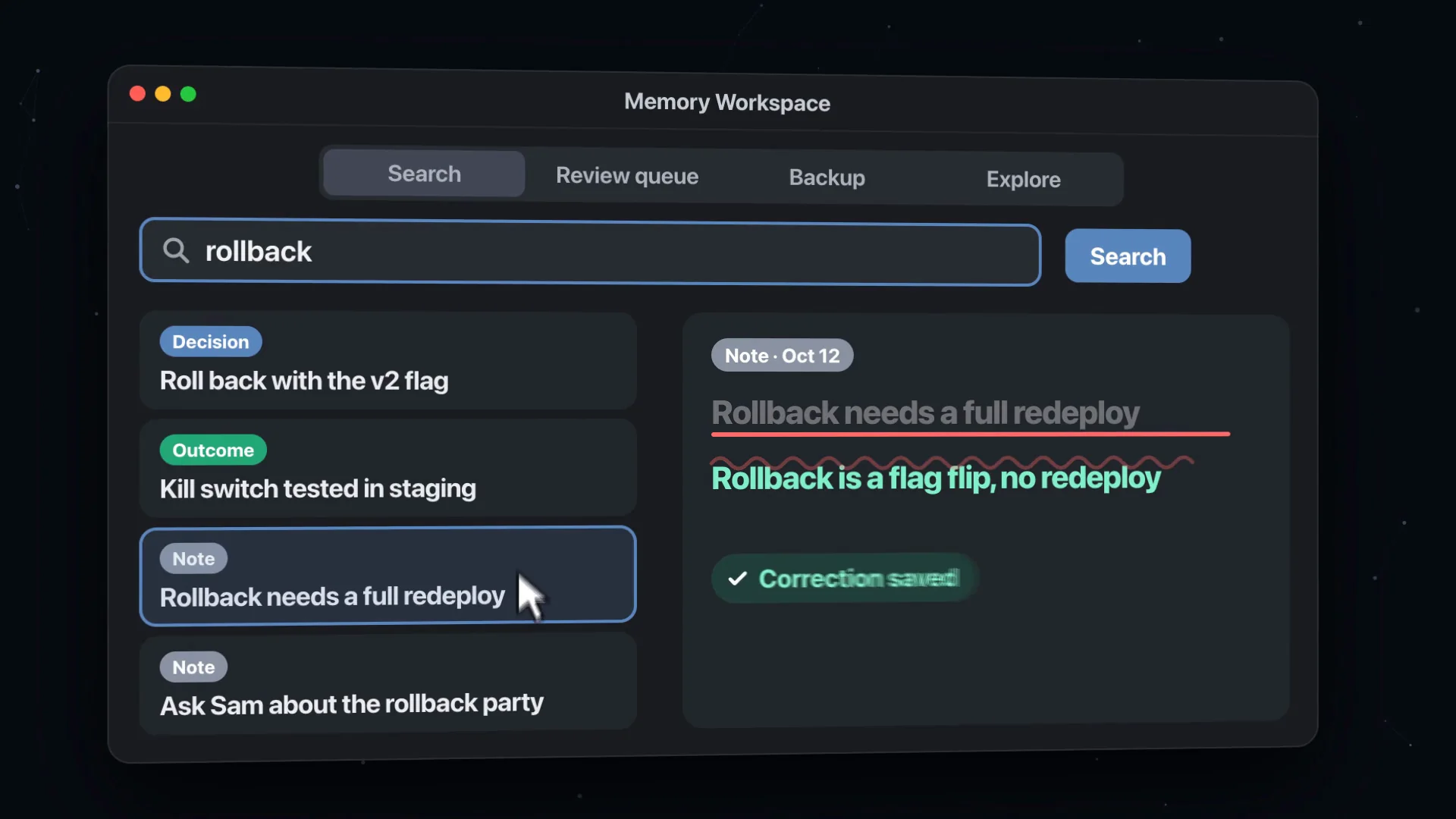
Search everything your agents have learned and open any result right at its source.
Correct a wrong memory; see exactly what will be removed before you forget anything.
Clear the review queue in seconds and restore any backup into a new folder.
See how a decision changed over time on the decision timeline, with a before/after comparison.
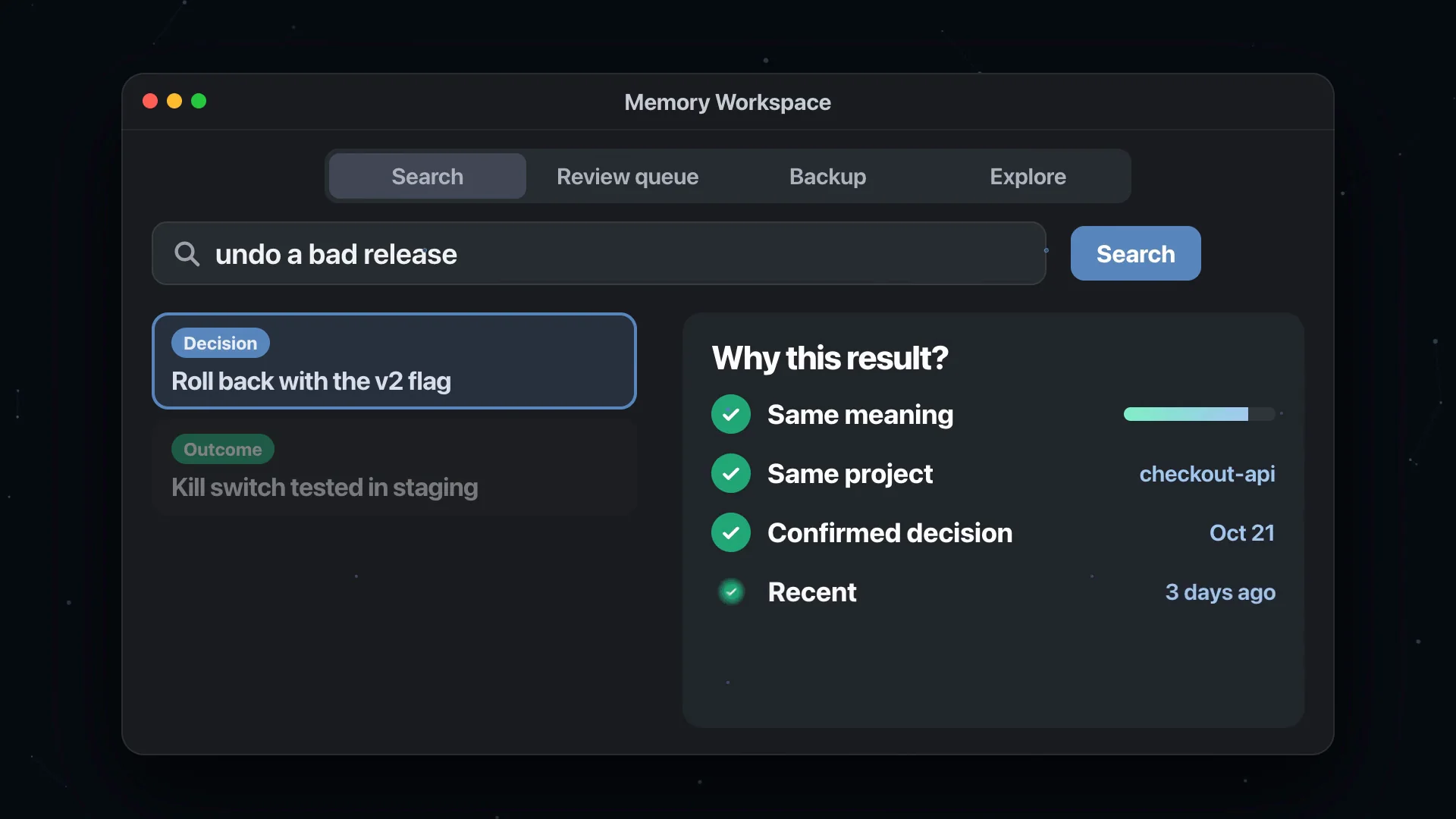
Wondering why a search returned a result? S3 Brain shows its reasons: same meaning, same project, confirmed decision, recent.
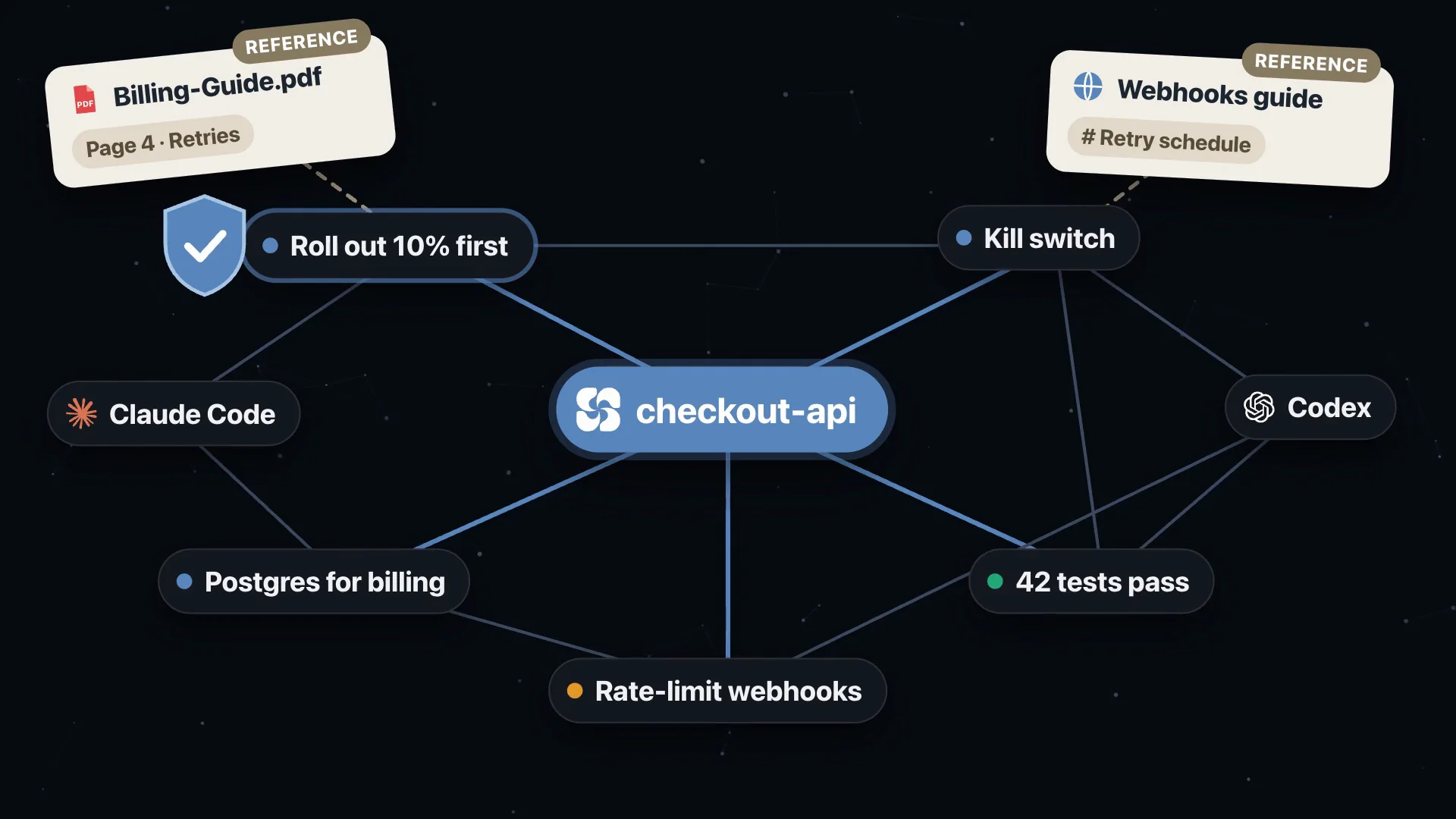
The relationship graph shows how your knowledge connects. You can bring in PDFs and web pages with page and heading locations. Moving to a new Mac? Export your memory as a portable package or a passphrase-protected recovery package; the single-writer safeguard keeps two Macs from writing to the same memory at once.
You stay in control
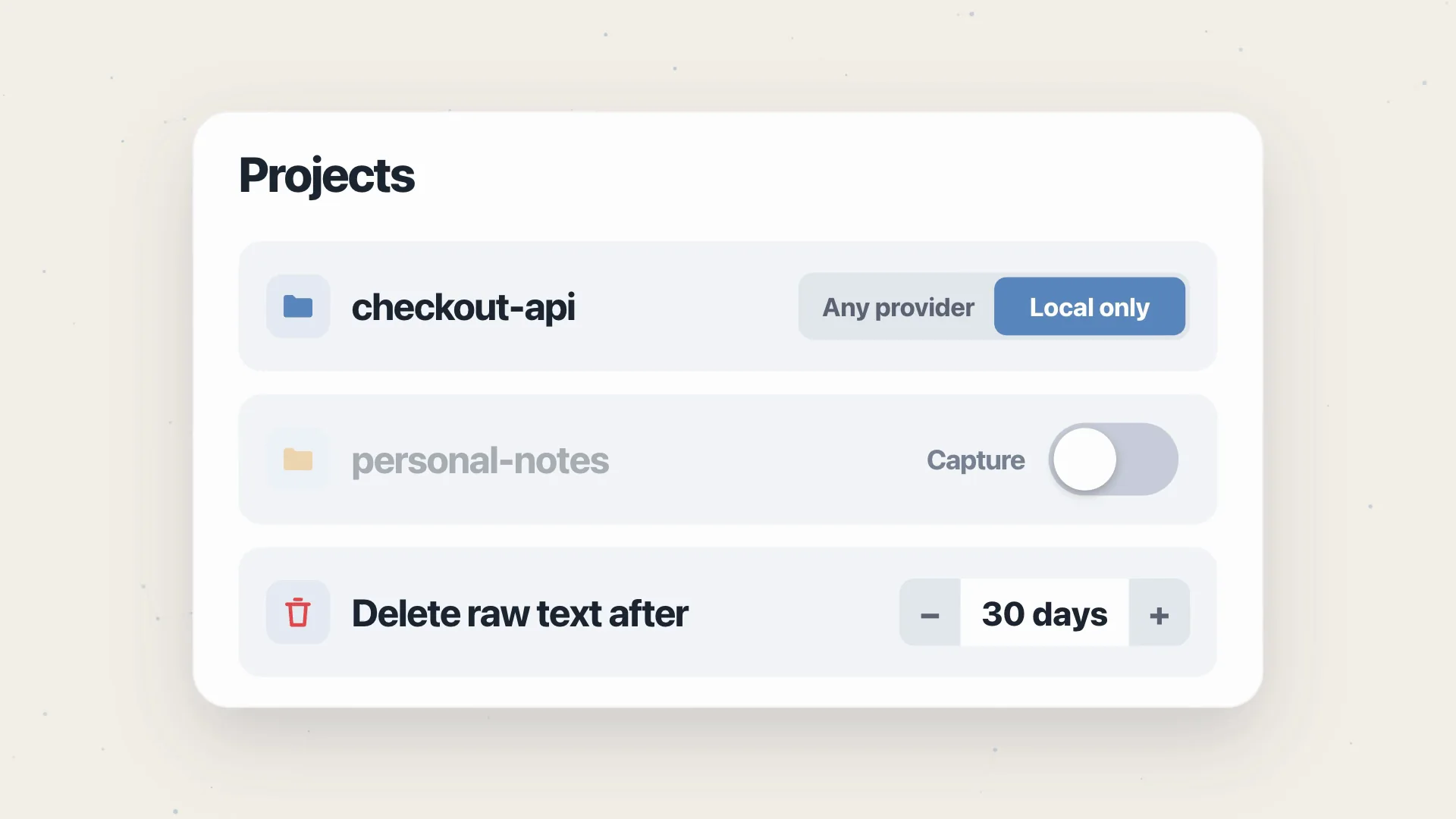
Keep a project on local backends only, skip it entirely, or delete raw conversation text after a number of days.
Limit connected tools to read-only access or to specific projects.
Passwords and keys in your settings are masked before they are stored; remote endpoints must use HTTPS.
Every destructive action from a connected tool waits for your explicit yes.

Everything lives on your Mac
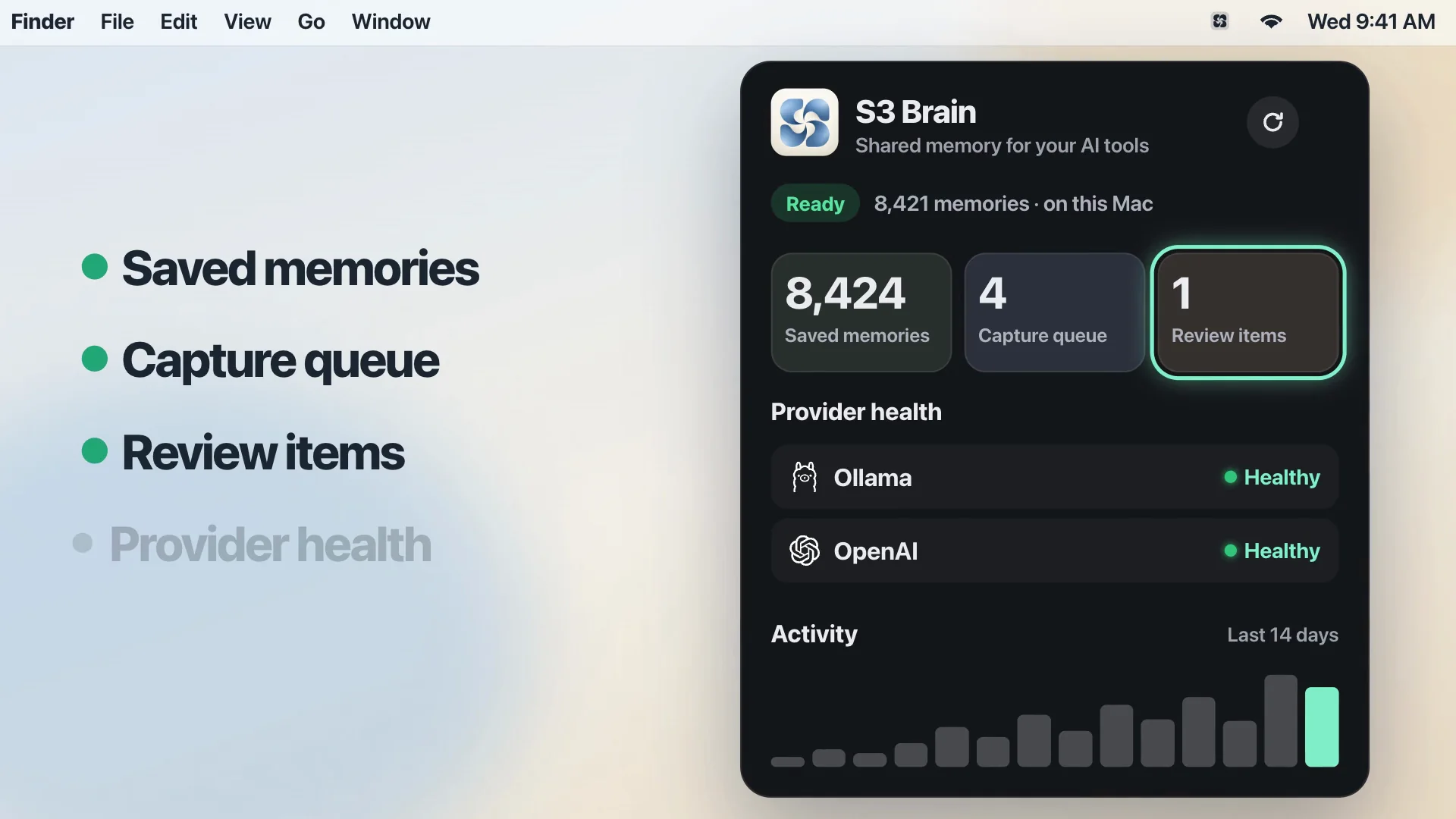
Your notes, indexes and backups stay on your Mac. Memory is plain Markdown; open it in Obsidian if you like. Backups are encrypted, taken once a day and cleaned up automatically.
A native macOS menu-bar app watches over all of it: saved memories, capture queue, review items and provider health at a glance. Searching or refreshing the panel never calls a model, and updates arrive on their own.
Download it today
S3 Brain is free for personal use on Apple silicon Macs with macOS 14 or later. The current version is 0.4.6, which noticeably lowers background CPU use on large memories.
Download it and see every detail on the S3 Brain page.
Stop repeating yourself. Let your agents remember.