Guest experience

A menu with your character.
Public QR menus and a visual studio for the way they look.
- Public QR menus
- Product & category management
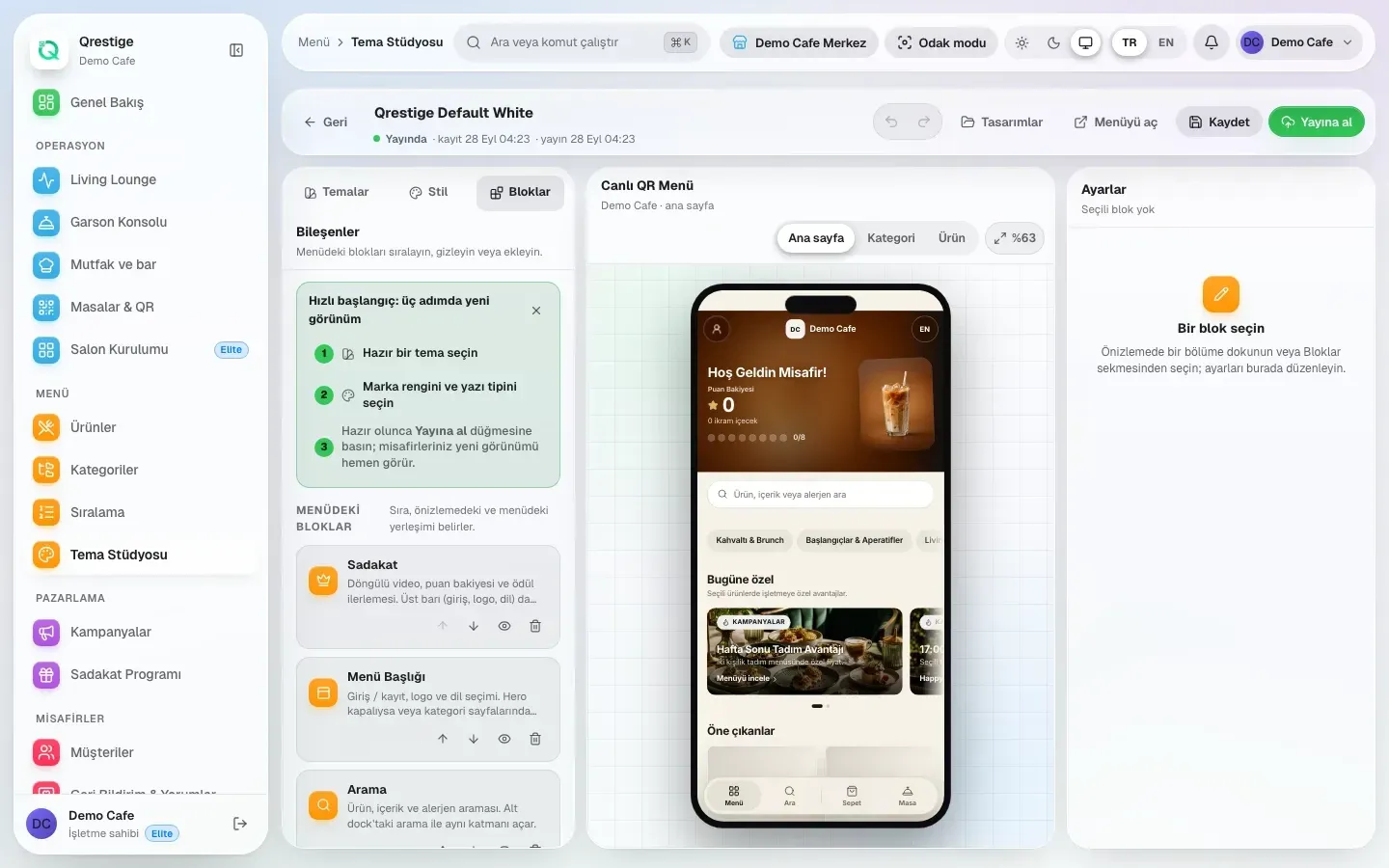
- Menu Theme Studio
 QRESTIGEService hour
 A QR menu is the beginning. Connect the guest, the floor and the team behind every service.
A multi-tenant QR menu and operations platform for restaurants, cafés and lounges.
The idea
The guest sees a menu. The team sees a table, a request and the next thing to do. QRESTIGE brings the kitchen, the bar, the floor and the manager into one connected operation.
Guest
→Floor
→Kitchen & bar
→Manager
Living Lounge
Choose a table. Follow a request through service, preparation and delivery. Try another table while the first is still in motion.
The request journey
Requests advance with the button when motion is reduced.
Menu Theme Studio
Shape the guest-facing menu visually. Arrange blocks, choose the look and preview the result before publishing. The operation keeps its structure; the menu gets its own character.
What it does today
Guest experience
Public QR menus and a visual studio for the way they look.
On the floor
Keep table activity and order preparation in the same operational picture.
Behind the service
Work with loyalty, analytics and administration. Mobile business flows bring operational actions to iOS and Android.

Working principles
Tenant and role checks define who can access an operation. Mobile session controls preserve the business and branch context.
First-party guest analytics record menu interactions for the business. The technical inventory also documents conditional error monitoring.
In motion
The release candidate is implemented. Production rollout and store delivery are still ahead.
Visit qrestige.com