
A Home that feels like yours.
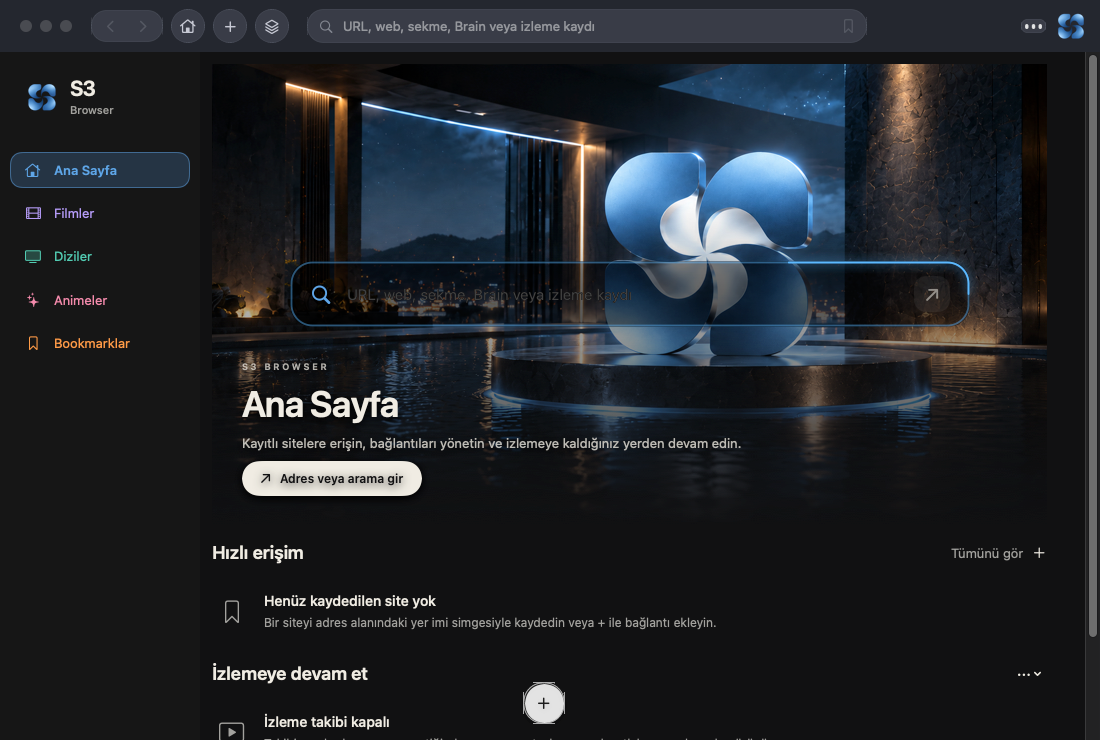
Cinematic Home brings saved sites and recorded viewing together. Continue Watching reopens the original source and resumes on supported players. Support varies by site.
S3DAT / Liquid Sky
Native macOS browsing with floating tab groups, local memory and a personal viewing hub.

01 / The idea
Your work doesn’t move in straight lines. Give each train of thought its own group. Keep a quotation with the page it came from. Return to a workspace without starting over.
02 / Room to move
Pull a group away from the top edge. Let it float. Bring it back when you want it docked. The connection follows your movement.
Follow your own thread.
A workspace with room for more than one thought.Research is floating. Docs and Music are docked.
03 / In the browser today
Browsing, saved knowledge and recorded viewing, in one native Mac application.
Cinematic Home brings saved sites and recorded viewing together. Continue Watching reopens the original source and resumes on supported players. Support varies by site.
Float tab groups, dock them along the window edges and rearrange your tabs.
Persistent sessions and explicit workspace checkpoints keep your tabs and arrangement available.
Browser Brain saves selected quotations with sources. Retrieve by keyword or optional local semantic search. Export as JSON or Markdown.
Search and edit bookmarks. Give them categories and an order that fits your work.
Public-page watchers record observations from supported public sources while the app is active.
04 / Privacy & permission
Browser data stays local. The controls make the boundaries explicit.
Private browsing uses a nonpersistent web session and excludes normal persistent history, Brain, media and learning records.
Model downloads require your permission. Files must pass integrity verification before they are used.
Provider-backed research needs separate configuration and cloud permission. Ordinary browsing does not require an AI model.
05 / In motion
Next: broader compatibility and acceptance work.
Next: Developer ID signing and notarized distribution.
Explore the source on GitHub